Filter controls
Add a filter panel when readers need to narrow what the dashboard shows themselves, with a control bound to a param that other panels read back in their queries.
What you can do
- A
filterpanel (type: filter) setsspec.controlto one of 12 kinds:select,multiselect,date-range,number-range,search,toggle,number,segmented,radio,button-group,checkbox-list, ortop-n. valueFieldis required. It names the column the control reads its options or values from.- Single-value controls write
param; the two range controls,date-rangeandnumber-range, writeloParamandhiParaminstead. top-naddsmeasureField,n, andorder:descorasc;date-rangesupportsrelativeDateandpresets;searchtakesoperatorandsearchModeorsearchParam.targetsisall, a list of panel ids, or an object withscope,pages,panels,mode, andbindings; eachbindings[].modecan befilter,highlight, ornone.dependsOnchains the control to upstream filters by param name (a parent'sparam, or a range parent'sloParam/hiParam); see Cascading filters with dependsOn below.default,values,label,placeholder,help,allLabel,unsetMode: omit or null,showOnPages,placement,width, anddensityshape the control; afilterpanel cannot carryonClick.
Filters are panels themselves and target any data-bearing panel on the page. A filter panel cannot carry an onClick of its own.
Spec
View spec
[
  {
    "id": "region-filter",
    "type": "filter",
    "title": "Region",
    "data": {
      "query": "SELECT DISTINCT region FROM orders ORDER BY 1"
    },
    "spec": {
      "control": "select",
      "valueField": "region",
      "param": "region",
      "allLabel": "All regions",
      "targets": "all"
    }
  },
  {
    "id": "revenue-trend",
    "type": "chart:line",
    "title": "Revenue trend",
    "data": {
      "query": "SELECT order_month, SUM(amount) AS revenue FROM orders WHERE region = %(region)s GROUP BY 1 ORDER BY 1",
      "params": {
        "region": null
      }
    },
    "spec": {
      "categoryField": "order_month",
      "valueField": "revenue"
    }
  }
]
revenue-trend declares the region param with a null default and reads it via the %(region)s placeholder in its query. The value is bound, never string-interpolated.
Cascading filters with dependsOn
spec.dependsOnon a filter names PARAM NAMES — the parent filter'sparam, or a range parent'sloParam/hiParam— never panel ids.- The child filter's own value-source query must still reference
%(<param>)swith a null-guard, e.g.WHERE (region = %(region)s OR %(region)s IS NULL);dependsOnonly wires the binding, it never rewrites the query. dependsOnis sugar over the raw named-binding mechanism: once declared, the parent'stargetsentry for the child and the child's owndata.paramsentry both become optional.- A dependency cycle of two or more filters —
Adepends onBdepends onA, viadependsOnor the rawdata.paramsbinding — is rejected at save time with a422.
View dependsOn spec
[
  {
    "id": "region-filter",
    "type": "filter",
    "title": "Region",
    "data": {
      "query": "SELECT DISTINCT region FROM orders ORDER BY 1"
    },
    "spec": {
      "control": "select",
      "valueField": "region",
      "param": "region"
    }
  },
  {
    "id": "customer-filter",
    "type": "filter",
    "title": "Customer",
    "data": {
      "query": "SELECT DISTINCT customer FROM orders WHERE (region = %(region)s OR %(region)s IS NULL) ORDER BY 1"
    },
    "spec": {
      "control": "select",
      "valueField": "customer",
      "param": "customer",
      "dependsOn": [
        "region"
      ]
    }
  }
]
Golden example: spec/examples/filter-cascading-dependson.json. The raw long-hand this desugars from — listing the child filter in the parent's targets plus an explicit data.params: {"region": null} entry on the child — still works.
Try it live
Open the interactive-filters dashboard in the live demo
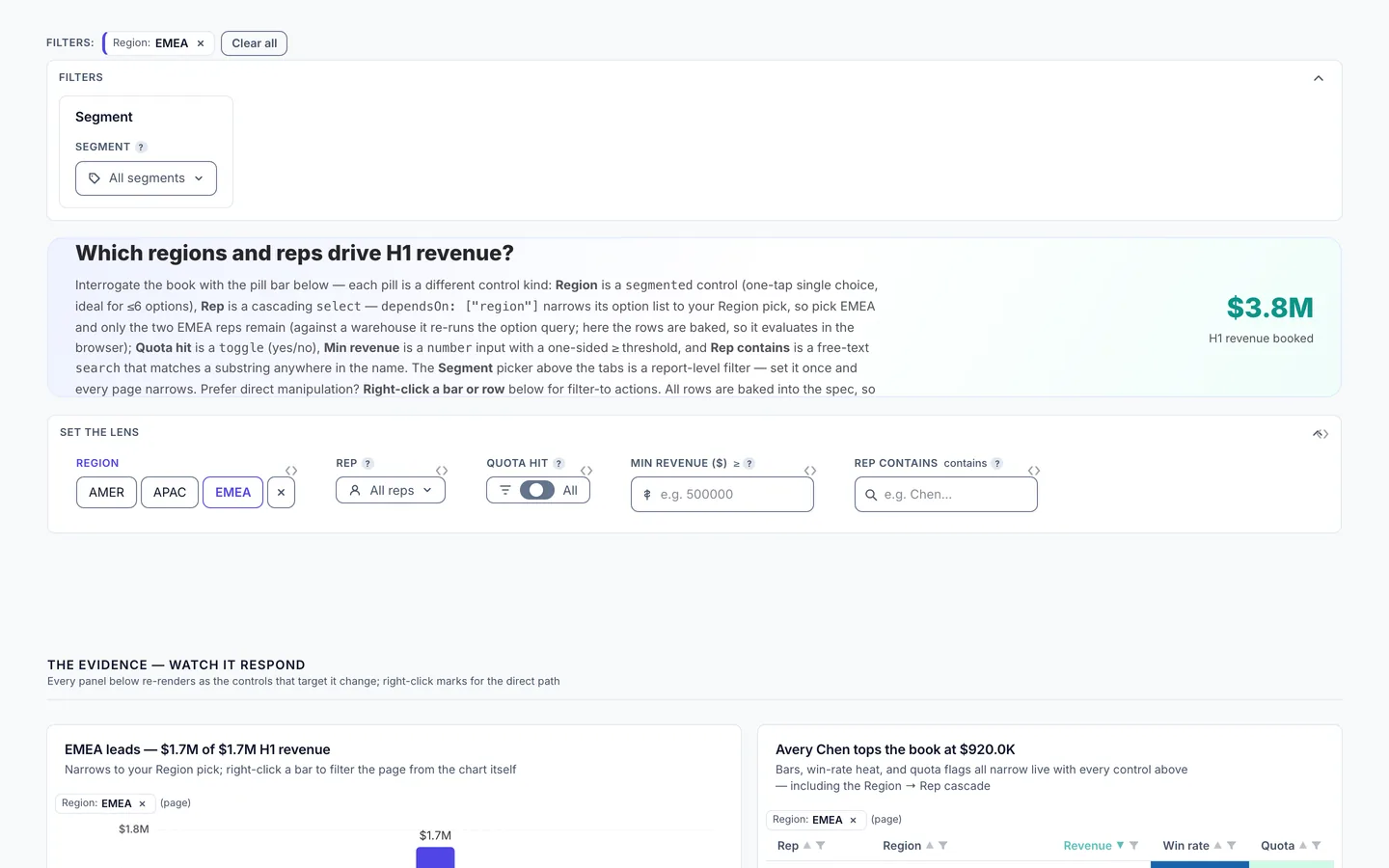
Open interactive-filters and pick a region on the segmented Region control, cl-f-region, on page the-lens to see the accounts table, the map, and the headline numbers narrow to that region.
Build it in dvt
Every interaction on this site is a few lines of the same declarative JSON spec. Read the full spec format, or connect an AI agent to your warehouse and build one live in the quickstart.
Follow the build
dvt is in founding research. Leave your email and we'll reach out when there's something to see — no newsletters, no noise.