Params & query binding
Read this when you need to understand how a panel's query receives a value from a filter, a brush, or a drill or filter action.
What you can do
data.paramson a panel declares the named values its query reads, each with a default; null means unset.- The query references a param as a
%(name)splaceholder, psycopg style, and dvt binds the value server-side, never string-interpolates it. - Param names match
^[A-Za-z_][A-Za-z0-9_]*$. - Filters, brush, and filter or drill actions all write params; panels read them via
data.params. - A param that no target panel declares is flagged by the data-binding lint.
unsetModeon a filter decides whether an unset param is omitted from the query or bound as null.
Available on any panel with a data.query; layout and filter panels write params but do not read them.
Spec
View spec
{
  "id": "orders",
  "type": "table",
  "title": "Orders",
  "data": {
    "query": "SELECT order_id, region, amount FROM orders WHERE region = %(region)s AND amount >= %(min_amount)s",
    "params": {
      "region": "EMEA",
      "min_amount": 0
    }
  },
  "spec": {
    "columns": [
      {
        "field": "order_id"
      },
      {
        "field": "region"
      },
      {
        "field": "amount"
      }
    ]
  }
}
region defaults to EMEA and min_amount to 0, so the query runs with those defaults even before any filter changes them.
Try it live
Open the pipeline-control-room dashboard in the live demo
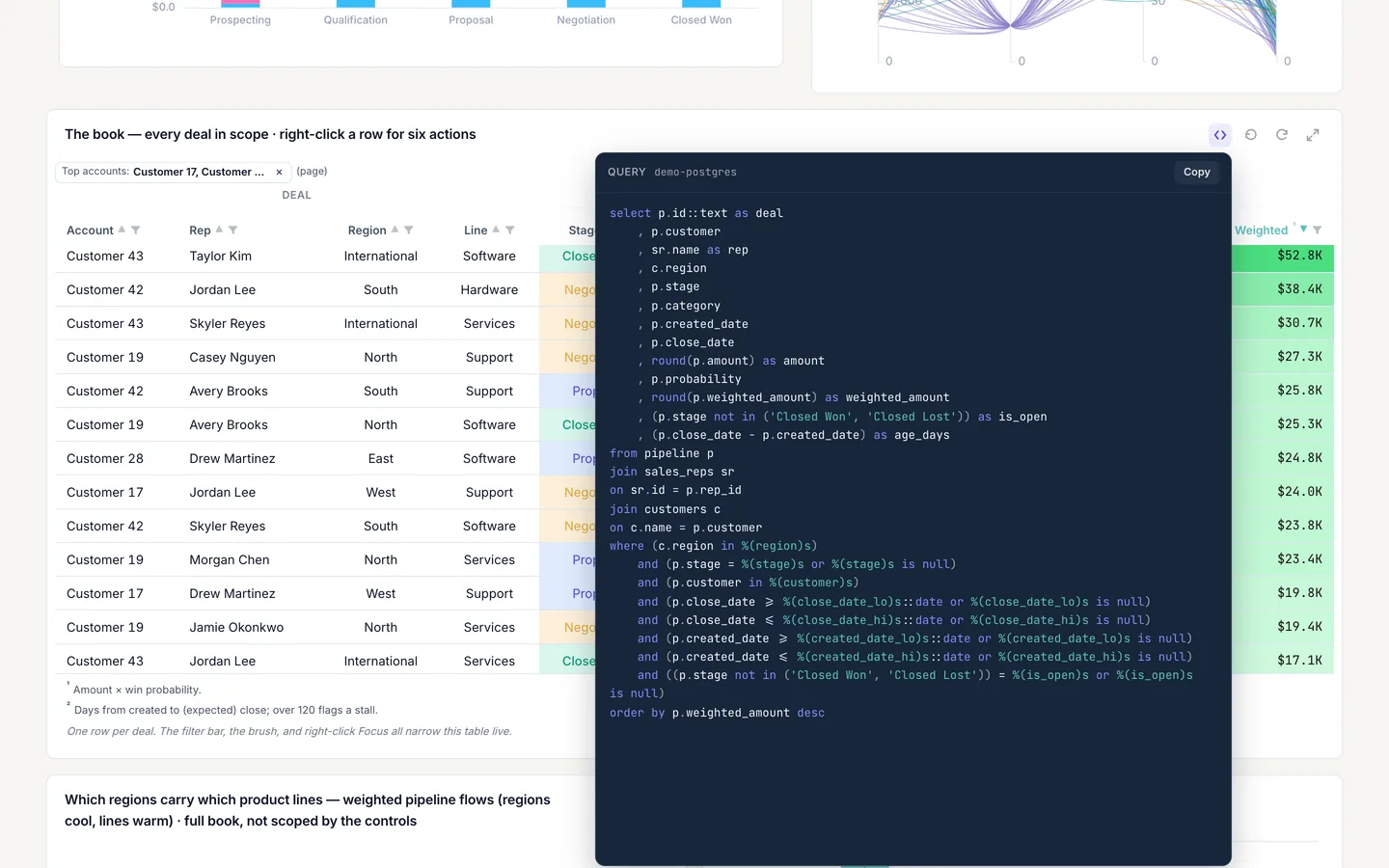
Open pipeline-control-room and inspect data.params on the deals table, cr-table: seven bound params carry the filter bar and the cr-intake brush values into its query. The screenshot on this page uses a custom light theme, so colors will differ from the template as shipped.
Build it in dvt
Every interaction on this site is a few lines of the same declarative JSON spec. Read the full spec format, or connect an AI agent to your warehouse and build one live in the quickstart.
Follow the build
dvt is in founding research. Leave your email and we'll reach out when there's something to see — no newsletters, no noise.