Cross-filter (filter action)
Add a filter action when clicking one panel should narrow what other panels on the page show, without a separate filter control.
What you can do
- A filter action of type
filter, ononClickorcontextMenu, writes the clicked value into aparaminstead of navigating. targetsisallor a list of panel ids; each listed panel re-queries once theparamchanges.- Target panels read the
paramviadata.paramsand a%(name)splaceholder in their query. valueFromreadscategory,value,seriesName, or a field name from the clicked datum.- Combine with the
labelaffordance rule fromonClick:labelis required and shown on hover before the click.
Available anywhere onClick or contextMenu is available; the targeted panels must declare the same param name in data.params.
Spec
View spec
[
  {
    "id": "revenue-by-segment",
    "type": "chart:pie",
    "title": "Revenue share by segment",
    "data": {
      "query": "SELECT segment, SUM(amount) AS revenue FROM orders GROUP BY 1"
    },
    "spec": {
      "categoryField": "segment",
      "valueField": "revenue"
    },
    "onClick": {
      "type": "filter",
      "label": "Filter to {category}",
      "param": "segment",
      "valueFrom": "category",
      "valueType": "string",
      "targets": [
        "orders-by-month"
      ]
    }
  },
  {
    "id": "orders-by-month",
    "type": "chart:line",
    "title": "Orders by month",
    "data": {
      "query": "SELECT order_month, COUNT(*) AS orders FROM orders WHERE segment = %(segment)s GROUP BY 1 ORDER BY 1",
      "params": {
        "segment": null
      }
    },
    "spec": {
      "categoryField": "order_month",
      "valueField": "orders"
    }
  }
]
Clicking a pie slice writes segment and re-queries only orders-by-month, the one panel named in targets.
Try it live
Open the pipeline-control-room dashboard in the live demo
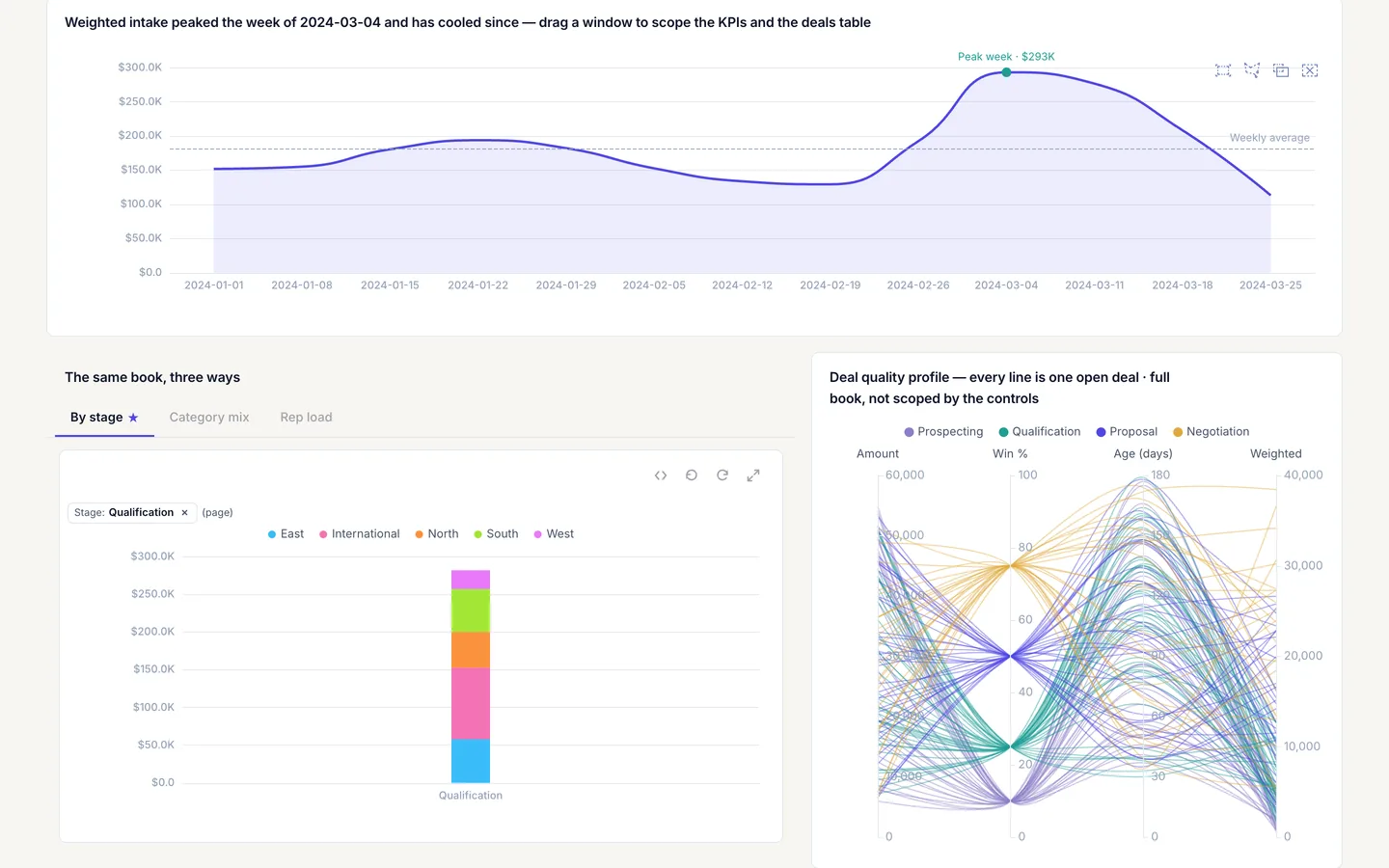
Open pipeline-control-room and click a segment of the stacked stage bar, cr-stage-mix, to write the stage param and re-query every panel that reads it. The screenshot on this page uses a custom light theme, so colors will differ from the template as shipped.
Build it in dvt
Every interaction on this site is a few lines of the same declarative JSON spec. Read the full spec format, or connect an AI agent to your warehouse and build one live in the quickstart.
Follow the build
dvt is in founding research. Leave your email and we'll reach out when there's something to see — no newsletters, no noise.