Overlays (openOverlay action)
Add openOverlay when a click should show more detail without navigating away: a modal or a side drawer that closes back to the page the reader was on.
What you can do
- An
openOverlayaction, inonClickorcontextMenu, requireslabelandtargetPage; it shows the target page in a modal or drawer instead of navigating away. presentismodalordrawer;sizeissm(480px),md(720px),lg(1040px), orfull(95vw);sideisleftorrightand only applies to drawers.- The target page is usually
hidden: trueso it stays out of the page nav;hiddenis presentation only, not access control. - A binding,
paramplusvalueFromandvalueTypeor abindingsarray, is optional; add it to pass the clicked value into the overlay's panels. - The overlay closes back to the page the reader was on.
Same coverage as onClick and contextMenu: every chart:* type plus table, kpi, stat, and metric-strip for onClick, every panel type for contextMenu.
Spec
View spec
{
  "id": "top-customers",
  "type": "chart:bar:horizontal",
  "title": "Top customers",
  "data": {
    "query": "SELECT customer, SUM(amount) AS revenue FROM orders GROUP BY 1 ORDER BY 2 DESC LIMIT 10"
  },
  "spec": {
    "categoryField": "customer",
    "valueField": "revenue"
  },
  "contextMenu": {
    "actions": [
      {
        "type": "openOverlay",
        "label": "Open {category} detail",
        "targetPage": "customer-detail",
        "param": "customer",
        "valueFrom": "category",
        "valueType": "string",
        "present": "drawer",
        "size": "md",
        "side": "right"
      }
    ]
  }
}
The openOverlay action opens customer-detail as a right-side drawer sized md, passing the clicked customer as a param.
Try it live
Open the pipeline-control-room dashboard in the live demo
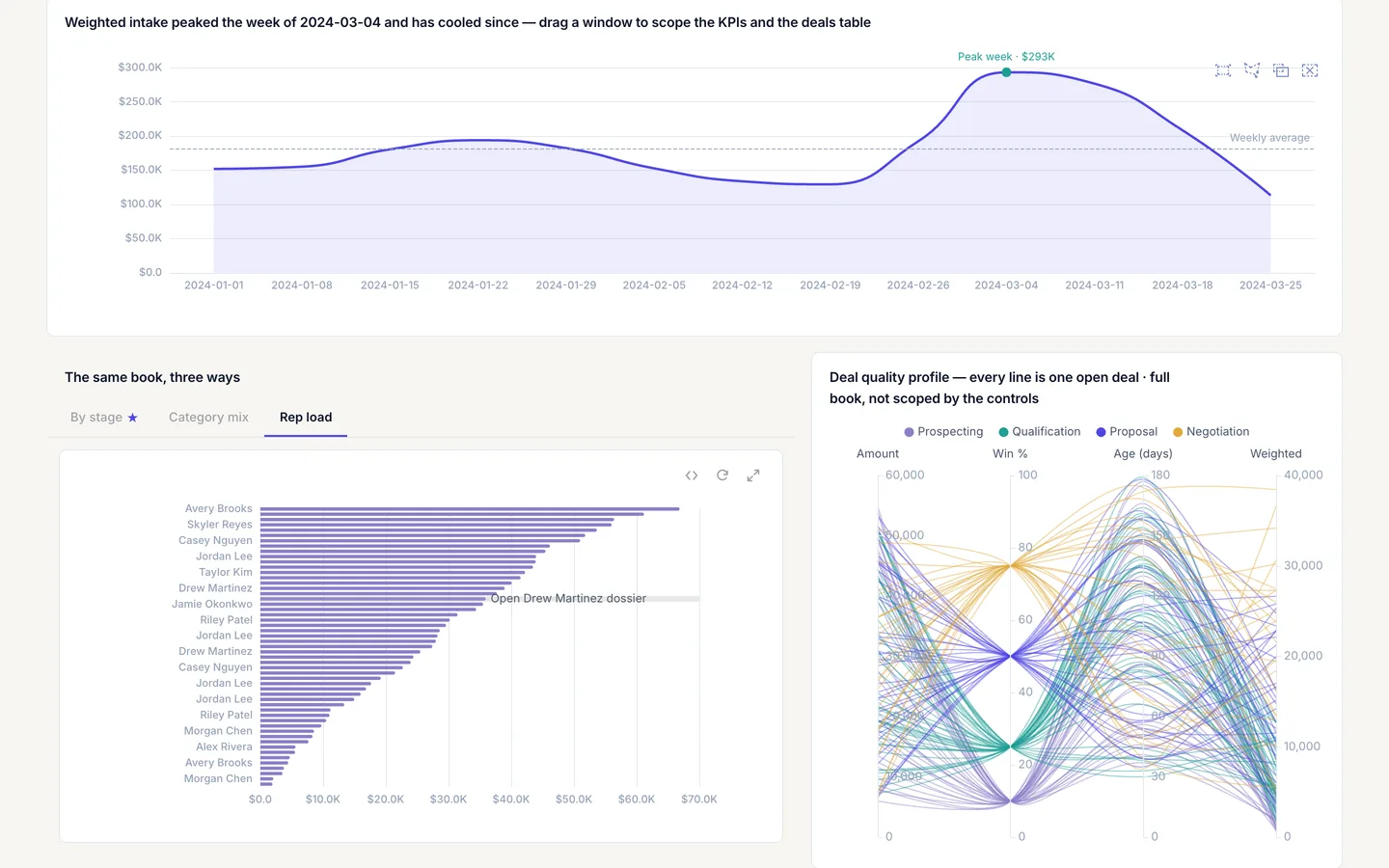
Open pipeline-control-room and read the openOverlay action on cr-rep-load: it opens the hidden rep-dossier page as a drawer and passes the clicked rep as rep. In the live demo, clicking the rep opens the overlay. The screenshot on this page uses a custom light theme, so colors will differ from the template as shipped, and this panel's value labels are hidden in the screenshot.
Build it in dvt
Every interaction on this site is a few lines of the same declarative JSON spec. Read the full spec format, or connect an AI agent to your warehouse and build one live in the quickstart.
Follow the build
dvt is in founding research. Leave your email and we'll reach out when there's something to see — no newsletters, no noise.